Proof of Work
Project Explanation
The project structure should look like this:
C:/Users/Nooshin/djangotutorial/
  ├── myapp/
  ├── mysite/
  ├── static/
  │    └── Figure.jpg
  ├── templates/
  ├── manage.py
  └── db.sqlite3
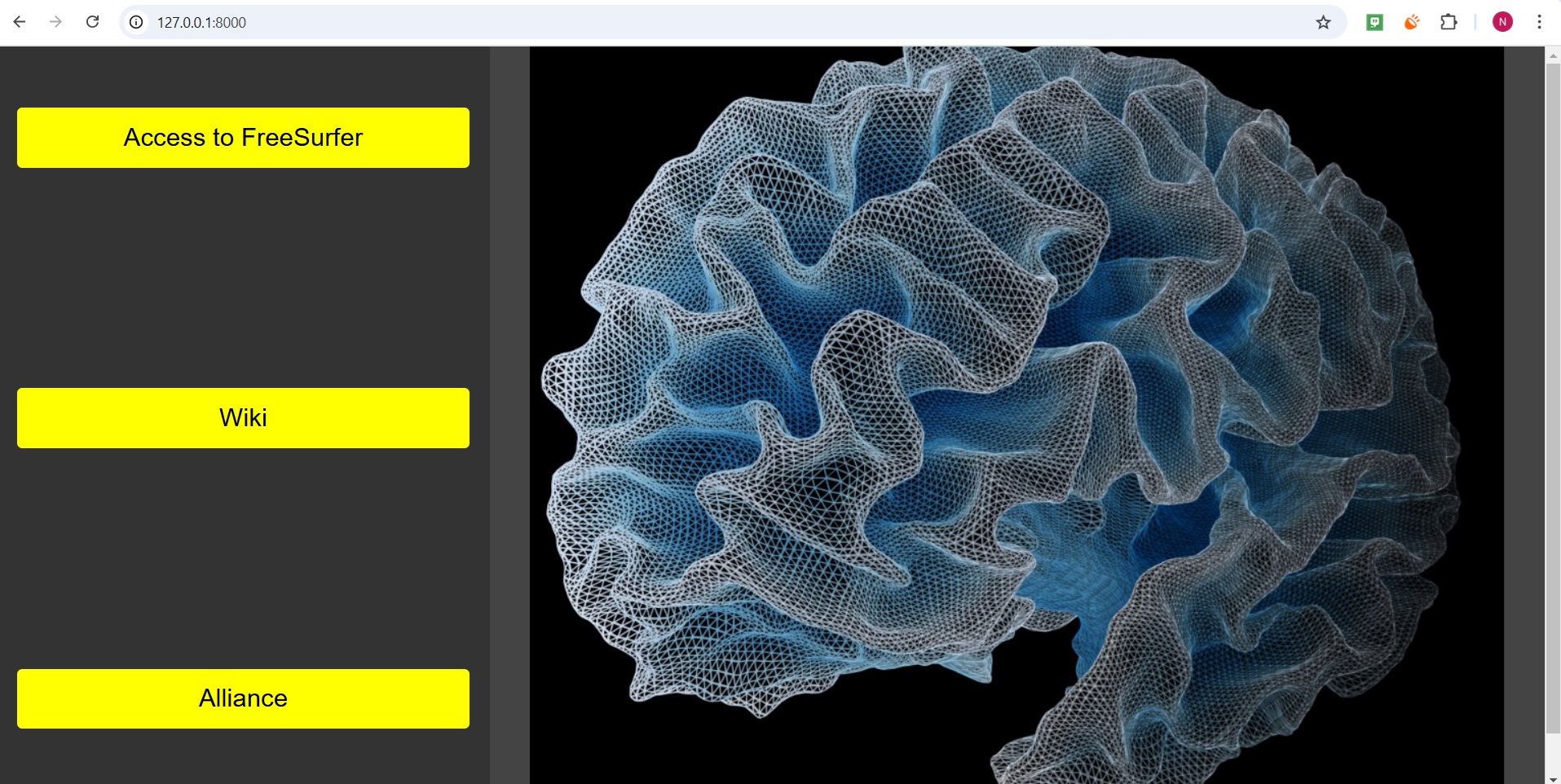
1. Main Page Layout:
The layout will have:
- A black background for the page.
- The page will be split into two cards/containers:
- On the left card: Three yellow buttons (vertically aligned with proper spacing).
- On the right card: A displayed image (Figure.jpg).
2. Buttons (on the left side):
- The first button ("Access to FreeSurfer") will direct the user to FreeSurfer.
- The second button ("Wiki") will direct the user to Wiki.
- The third button ("Alliance") will direct the user to another page with text and another button ("Access to Alliance").
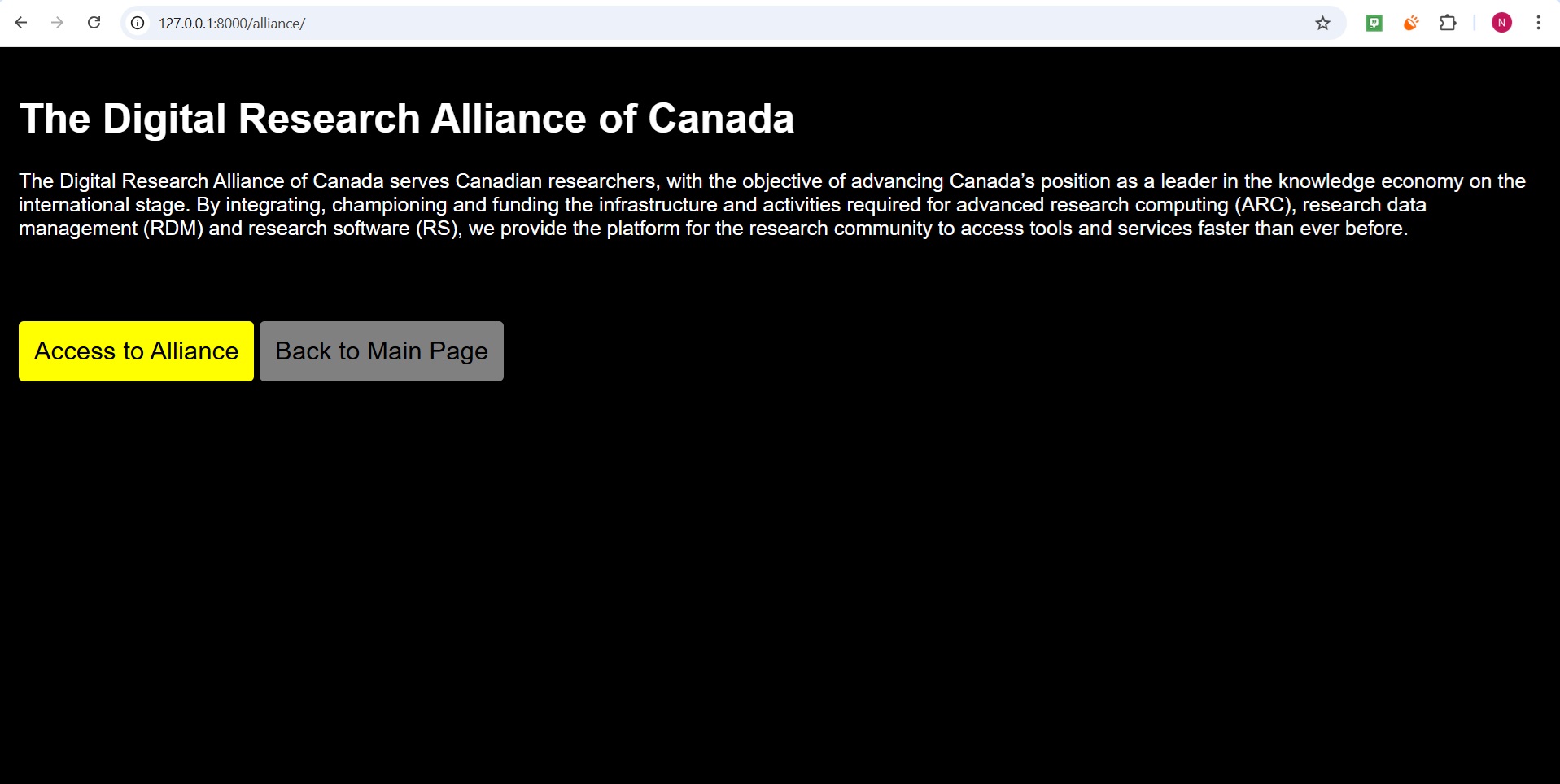
3. Alliance Page Layout:
- On this new page:
- Display the provided text about the Digital Research Alliance of Canada.
- Provide a button ("Access to Alliance") that directs the user to Digital Research Alliance.
- Include a button at the bottom of the page to return to the main page.
Steps to Implement
- Create the home.html Template for the main page.
- Create the alliance.html Template for the Alliance page.
- Update views.py to render both templates.
- Update urls.py to route to the new Alliance page.
- Add the Image.
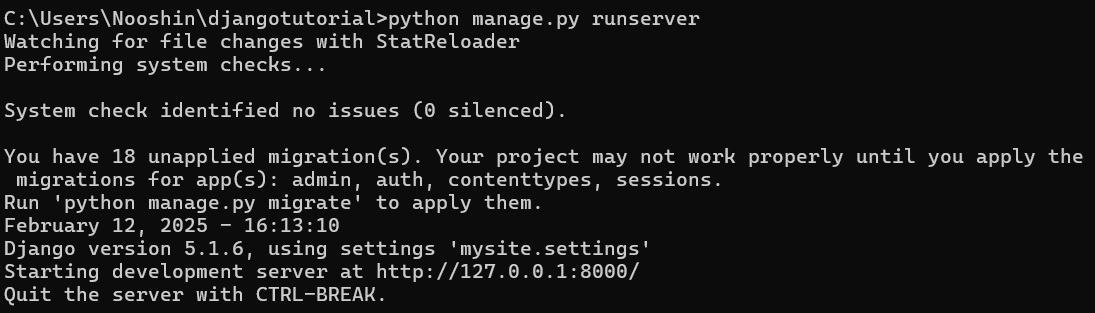
- Run the Server.
- Explore the full project on GitHub: Django Tutorial Repository.